Building Your Voiceover Studio
Read at your own pace. Code execution, quizzes, progress tracking, and the AI tutor are available in the interactive view with JavaScript enabled.
Your Capture Space
From voice identity to voice space
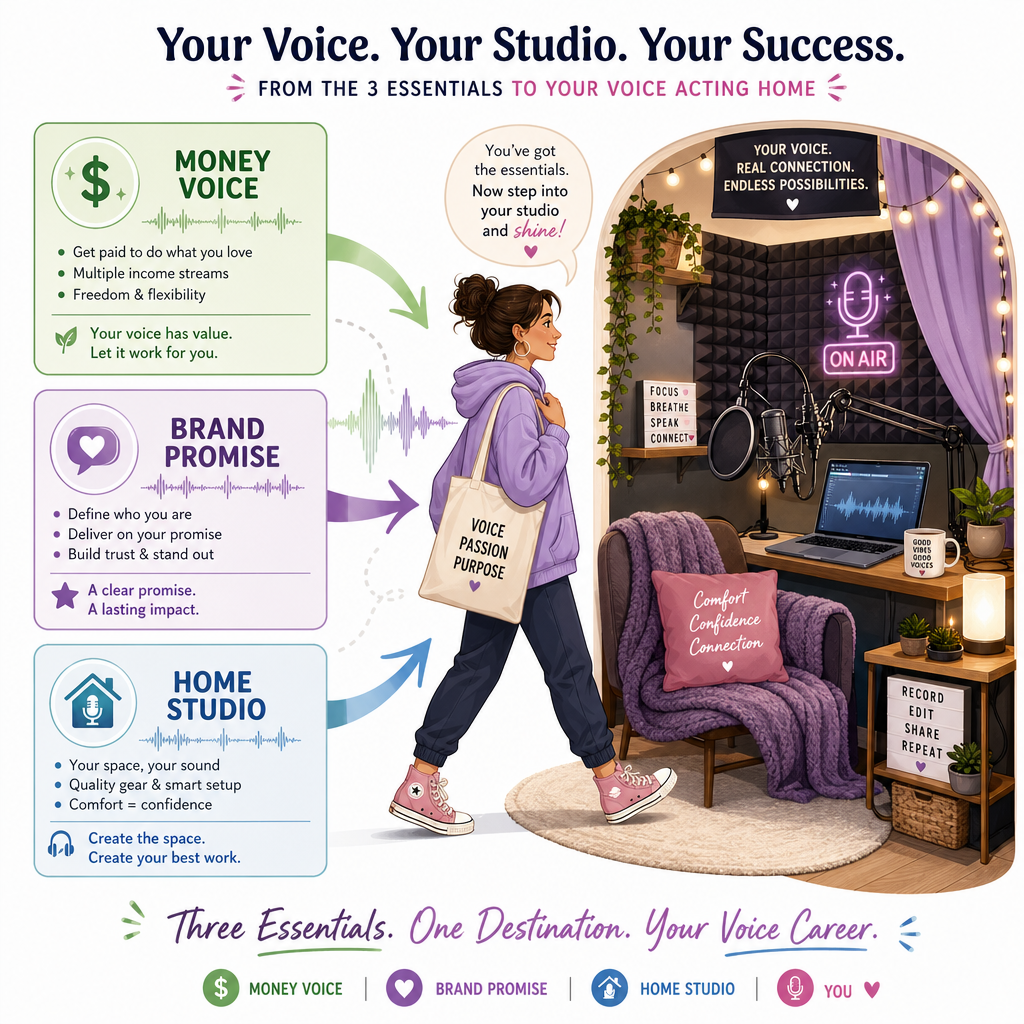
In Introduction to Voice Acting, you mapped the work. In Discovering Your Money Voice, you started hearing where your voice naturally fits. In Marketing and Branding Yourself, you shaped that sound into a promise.
Now we build the place where that promise can be captured.
A voiceover studio does not need to look like a glossy music studio with glowing panels and platinum records. For someone working from home, the goal is simpler and more powerful:
Create a quiet, repeatable space where your voice sounds clean, clear, and usable.
Think of it like recording a smooth R&B vocal hook: the performance matters, but the room around it can either support the tone or muddy it up.
Studio Job
What your studio must do
Your studio has one main job:
Capture your voice with as little unwanted sound as possible.
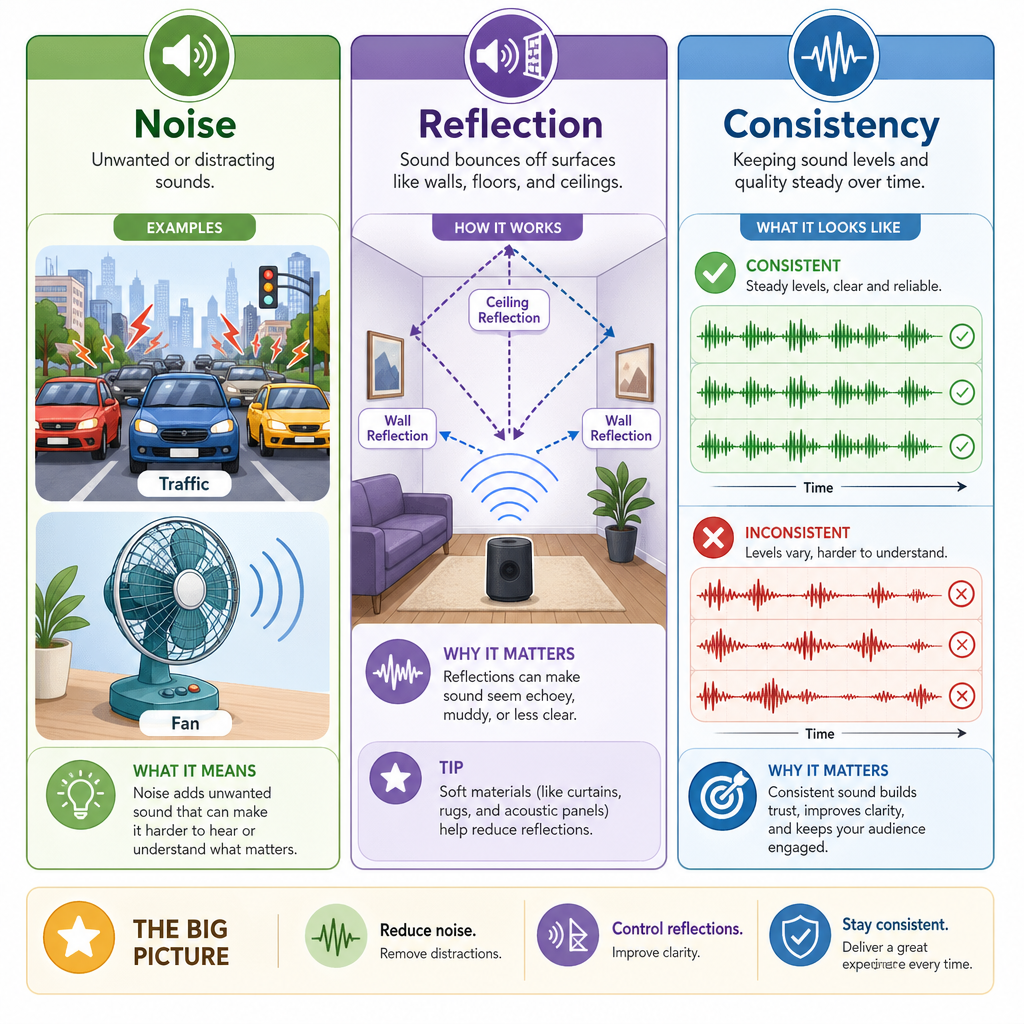
That means you are managing three things:
- Noise — traffic, air conditioning, roommates, pets, computer fans
- Echo/reflection — your voice bouncing off hard walls, windows, floors, and desks
- Consistency — sounding the same each time you audition or deliver a file
A beginner mistake is thinking the microphone does all the work. It does not. A sensitive mic hears your performance and the room.
Simple mental model:
Great read + bad room  = distracting audio
Okay read + clean room = usable practice
Great read + clean room = professional potential
Today is about the room and gear foundation. The next lesson, Recording Skills and Studio Etiquette, will focus on how you behave and perform once you are inside that space.
Main Studio Goal
What is the most important goal of a beginner home voiceover studio?
Signal Chain
The path your voice travels
Your studio is a chain. Every link affects the final sound.
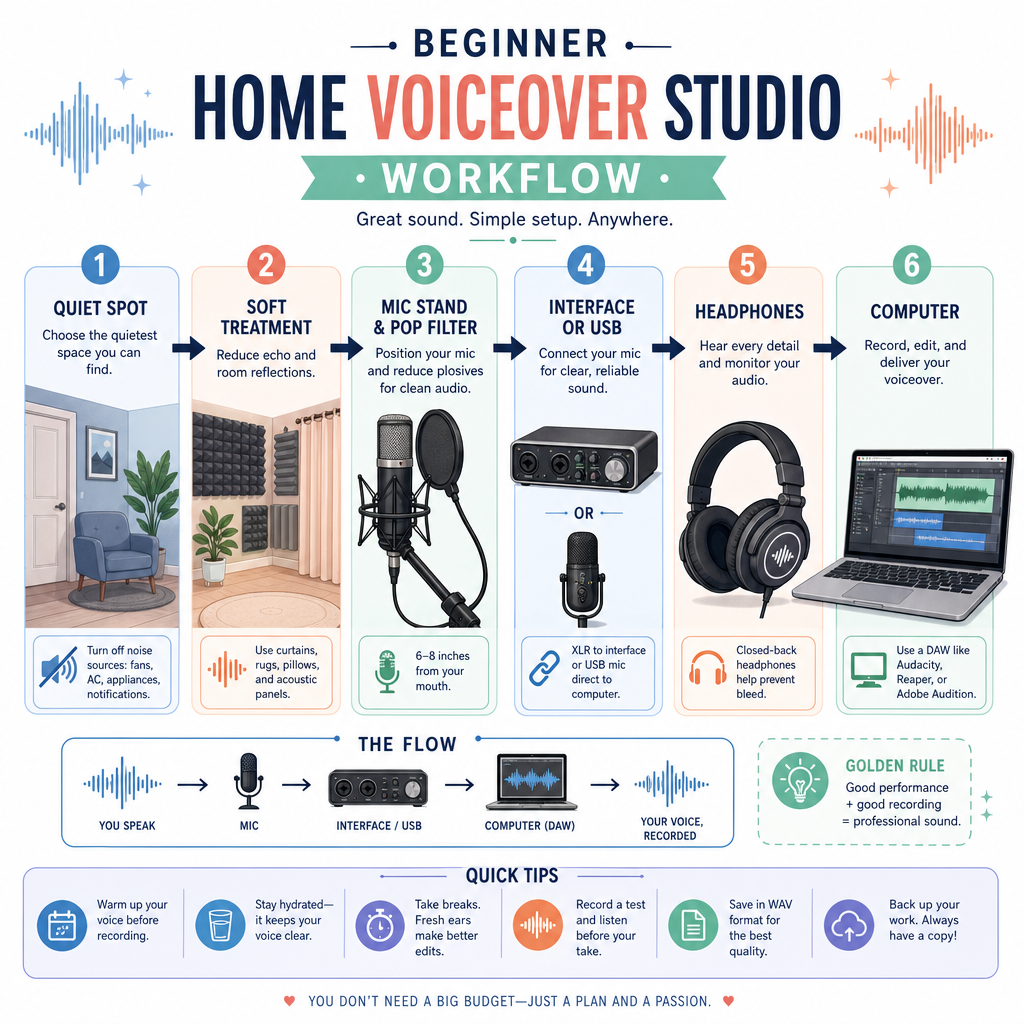
You → Microphone → Interface → Computer → Recording Software
For many beginners, a clean starter setup is:
- Microphone: captures your voice
- Audio interface: converts mic signal into computer signal
- Headphones: lets you hear problems without speaker feedback
- Computer: stores and runs recording software
- Quiet treated space: controls noise and reflections
If you are coming from music interests like hip hop, R&B, or melodic vocals, this may feel familiar. The difference is that voiceover usually wants the voice to sound natural and direct, not heavily produced.
Use the code below as a simple budget planner. It does not choose your exact brand, but it reminds you not to spend everything on one shiny mic while ignoring the room.
```javascript
const budget = 450;

const starterStudio = [
  { item: "Microphone", percent: 0.30 },
  { item: "Audio interface", percent: 0.22 },
  { item: "Closed-back headphones", percent: 0.16 },
  { item: "Room treatment", percent: 0.22 },
  { item: "Cables / stand / pop filter", percent: 0.10 }
];

console.log(`Starter voiceover studio budget: $${budget}`);

starterStudio.forEach(part => {
  const dollars = Math.round(budget * part.percent);
  console.log(`${part.item}: about $${dollars}`);
});
```
Closet Myth
A closet is automatically a great voiceover booth, even if it is full of hard plastic bins, bare walls, and reflective surfaces.
Room Before Gear
Your room is part of the instrument
Before buying more gear, listen to your space.
Common home studio locations:
- Walk-in closet with hanging clothes
- Bedroom corner with blankets, curtains, rug, and soft furniture
- Portable booth area made from moving blankets or acoustic panels
- Quiet office corner away from windows and appliances
You are not trying to make the room totally silent. You are trying to make it controlled enough that your voice is the focus.
Quick room test
Stand where you want to record and clap once.
- Sharp ring? Too reflective.
- Fluttery slapback? Parallel hard surfaces.
- Dull and controlled? Better.
- Loud background hum? Noise issue, not treatment issue.
The code below models a simple reflection risk score. Lower is better.
```javascript
const room = {
  bareWalls: 3,
  windows: 1,
  carpetOrRug: true,
  hangingClothes: true,
  softFurniture: 1
};

let reflectionScore = 0;
reflectionScore += room.bareWalls * 3;
reflectionScore += room.windows * 4;
reflectionScore -= room.carpetOrRug ? 3 : 0;
reflectionScore -= room.hangingClothes ? 4 : 0;
reflectionScore -= room.softFurniture * 2;

console.log(`Reflection risk score: ${reflectionScore}`);

if (reflectionScore <= 2) {
  console.log("Good starting point: test record here.");
} else if (reflectionScore <= 7) {
  console.log("Usable with improvement: add blankets, curtains, or panels.");
} else {
  console.log("Too reflective: change the space or add serious soft treatment.");
}
```
Signal Blank
The path voice → microphone → interface → computer is called the signal ____.
Starter Kit Logic
Buy for reliability, not fantasy
Your first studio should help you practice, audition, and deliver beginner-friendly work without constant technical drama.
Useful starter priorities
- Quietest available space
- Basic treatment: blankets, clothes, curtains, rug, panels
- Solid microphone appropriate for voiceover
- Audio interface if using an XLR microphone
- Closed-back headphones
- Stable mic stand and pop filter
USB or XLR?
- USB mic: simpler, fewer pieces, can be good for starting
- XLR mic + interface: more flexible, more upgradeable, more common in pro setups
Neither option fixes a noisy or echo-heavy room. A great mic in a bad space is like a beautiful melodic vocal recorded next to a washing machine: the talent is there, but the capture is fighting you.
Here is a tiny decision helper.
```javascript
function recommendSetup({ budget, wantsSimple, plansToUpgrade }) {
  if (budget < 200 && wantsSimple) {
    return "Start with a reputable USB mic, closed-back headphones, and room treatment.";
  }

  if (plansToUpgrade && budget >= 300) {
    return "Consider an XLR mic, audio interface, headphones, stand, pop filter, and treatment.";
  }

  return "Put the room first, then choose the cleanest mic setup your budget supports.";
}

console.log(recommendSetup({ budget: 350, wantsSimple: false, plansToUpgrade: true }));
console.log(recommendSetup({ budget: 150, wantsSimple: true, plansToUpgrade: false }));
```
Best First Upgrade
You record a test and hear strong room echo, but very little outside noise. What is usually the smartest first improvement?
Studio Blueprint
Your home studio blueprint
By the end of this lesson, your goal is not perfection. Your goal is a repeatable setup you can return to every time you practice or audition.
Use this blueprint:
[Quiet Spot]
     ↓
[Soft Treatment Around Voice]
     ↓
[Mic + Stand + Pop Filter]
     ↓
[Interface or USB Connection]
     ↓
[Headphones]
     ↓
[Computer + Recording Software]
Your action step
Pick one possible recording space today and document it:
- Where is it?
- What noise do you hear?
- What surfaces are hard and reflective?
- What soft materials can you add?
- Where will the mic, stand, and computer go?
You now have the physical foundation for your brand sound. Next, you will step into that space and learn the habits that make sessions smoother in Recording Skills and Studio Etiquette.