Crawl Result Models and Import Pipeline
Read at your own pace. Code execution, quizzes, progress tracking, and the AI tutor are available in the interactive view with JavaScript enabled.
Why Store Crawls
Now that we've covered Web Scraping with Scrapy and Django, our spider can extract data from a webpage.
That is useful, but it is still temporary. If the result only appears in the terminal or a JSON file, our Django app cannot review it later, display it to a user, or build product features on top of it.
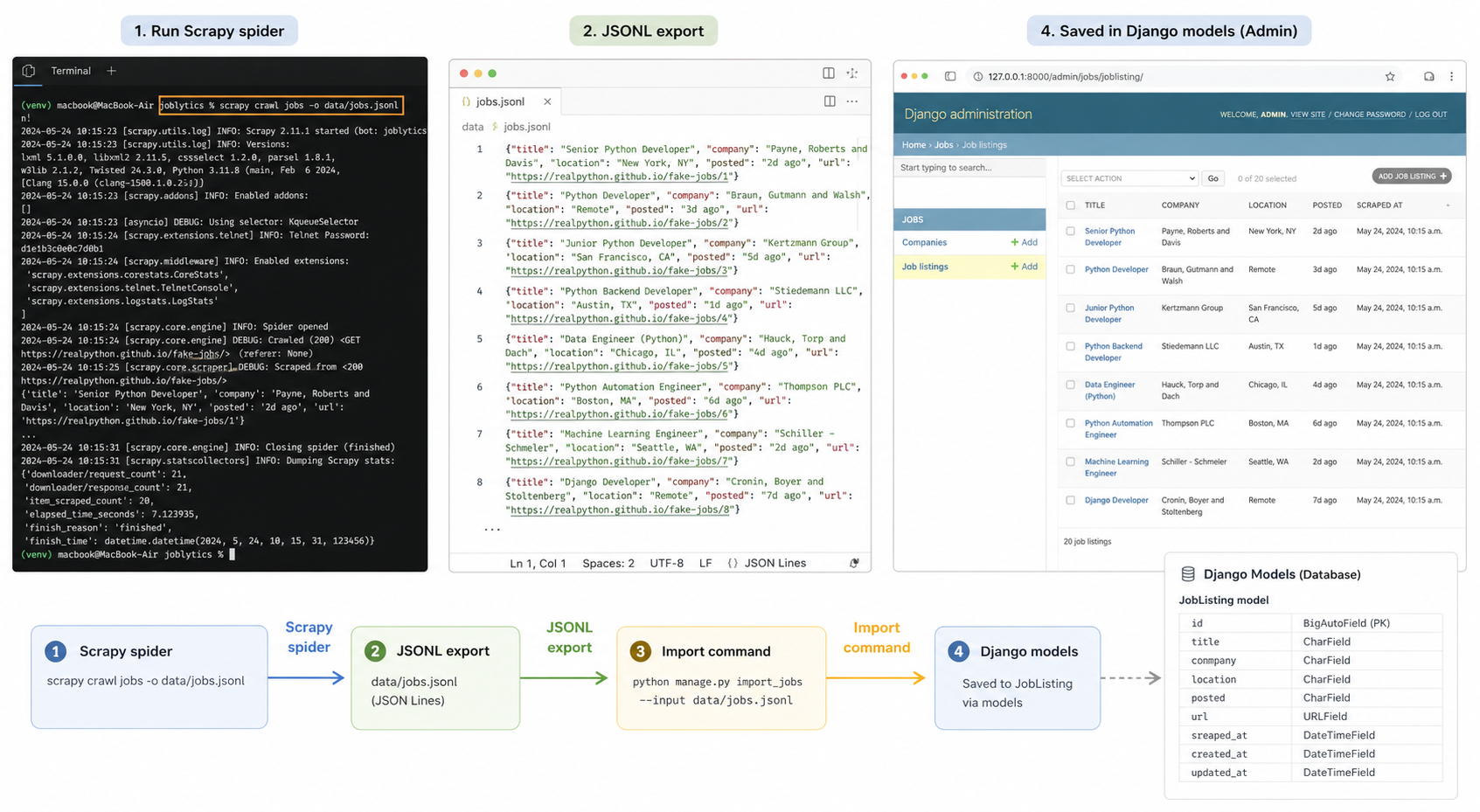
In this lesson, we'll add a small import pipeline:
Scrapy spider
   ↓ exports crawl result
JSONL file
   ↓ Django import command
Django models
   ↓ admin / future UI
Reviewable crawl history
This is the startup-engineer move: turn a script into product data.
CONTINUE WITH ALGODAILY PREMIUM
Keep going with the complete tutorial.
Unlock the remaining explanations and exercises, alongside the full learning library.
Explore Premium →