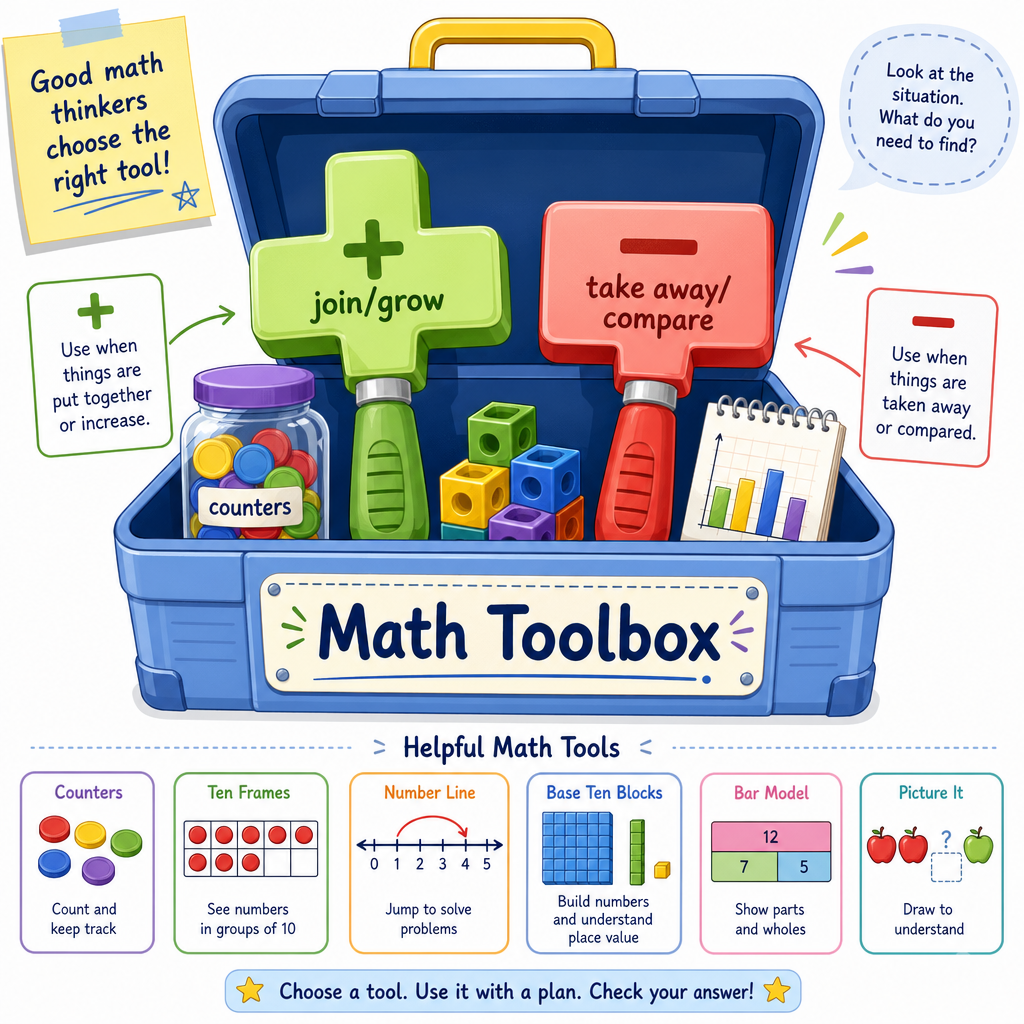
Introduction to Addition and Subtraction
Read at your own pace. Code execution, quizzes, progress tracking, and the AI tutor are available in the interactive view with JavaScript enabled.
From Counting To Change
Welcome back, Number Explorer!
In Introduction to Numbers and Counting, you learned that numbers name amounts. In Shapes and Patterns, you saw that things can be grouped, recognized, and compared.
Now we are ready for a tiny but powerful idea:
- Addition tells us when an amount grows.
- Subtraction tells us when an amount shrinks or when we compare two amounts.
Why does this matter for data science, AI, and machine learning?
Because computers often ask simple questions like:
- “How many are there now?”
- “How many did we gain?”
- “How many are missing?”
- “How far away is the computer’s guess from the real answer?”
Today, we learn the math words for putting together and taking apart.

Addition Means More
Addition joins amounts
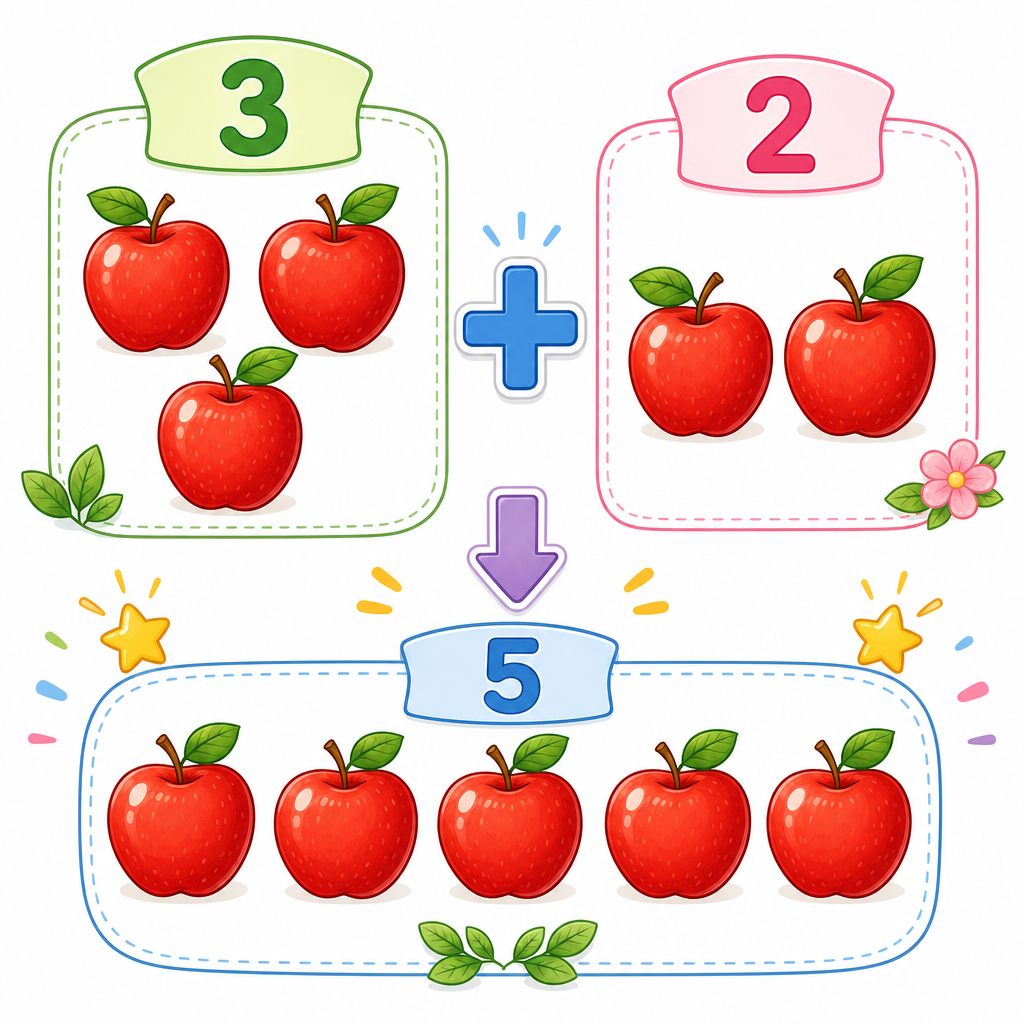
Imagine you have:
🍎 🍎 🍎      and      🍎 🍎
  3 apples              2 apples
When we put them together:
🍎 🍎 🍎  +  🍎 🍎  =  🍎 🍎 🍎 🍎 🍎
   3      +    2    =          5
So we say:
3 + 2 = 5
The plus sign + means “add” or “join together.”
A child might say: “I had 3 apples. My friend gave me 2 more. Now I have 5.”
A data scientist might say: “We had 3 clicks in the morning and 2 clicks in the afternoon. Total clicks = 5.”
Same idea. Different story.
Python Adds Too
Computers can add for us
In Python, the plus sign + works like the plus sign in math.
We can store numbers in little named boxes called variables.
Think of a variable like a labeled basket:
-
morning_clicksholds one number. -
afternoon_clicksholds another number. -
total_clicksholds the answer after adding.
Run this example and read the printed story.
```python
morning_clicks = 3
afternoon_clicks = 2

total_clicks = morning_clicks + afternoon_clicks

print("Morning clicks:", morning_clicks)
print("Afternoon clicks:", afternoon_clicks)
print("Total clicks:", total_clicks)
```
Join The Toys
A toy box has 4 cars.
Then you put in 3 more cars.
Which number sentence shows how many cars are in the toy box now?
Subtraction Means Less
Subtraction removes or compares
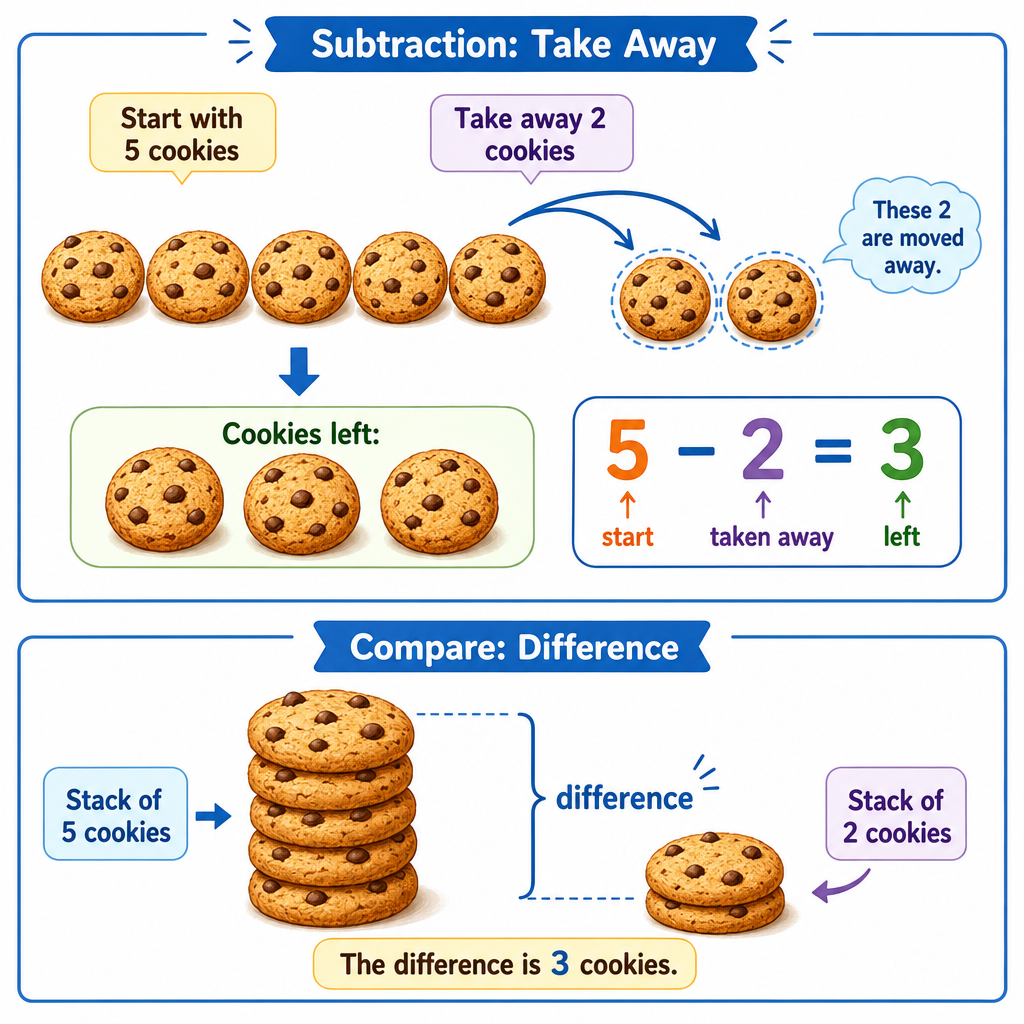
Imagine you have 5 cookies:
🍪 🍪 🍪 🍪 🍪
You eat 2 cookies:
🍪 🍪 🍪 🍪 🍪  -  🍪 🍪  =  🍪 🍪 🍪
     5          -    2    =     3
So we say:
5 - 2 = 3
The minus sign - means “subtract,” “take away,” or “find the difference.”
Subtraction can answer two types of questions:
- Taking away: “I had 5 cookies and ate 2. How many are left?”
- Comparing: “I have 5 cookies and you have 2. How many more do I have?”
Both use subtraction.
Python Subtracts Too
The minus sign works in Python
Python uses - for subtraction.
Here is a tiny data story:
A model guessed that there would be 10 visitors. The real number was 7 visitors.
The question is: How far off was the guess?
That distance is a difference.
```python
guess = 10
real = 7

difference = guess - real

print("Computer guess:", guess)
print("Real amount:", real)
print("Difference:", difference)
```
Undoing A Change
If you start with 7, subtract 2, and get 5, then adding 2 back brings you to 7 again.
Swipe true or false.
Amounts Can Update
Addition and subtraction help us track updates
Many real programs keep a number that changes over time.
Example: a small website has visitors.
- New visitor arrives: add 1.
- Visitor leaves: subtract 1.
- Another visitor arrives: add 1.
This is not advanced data science yet. It is the baby version of a big idea: data changes, and math helps us track the change.
```python
visitors_now = 0
print("Start:", visitors_now)

visitors_now = visitors_now + 1
print("One visitor arrives:", visitors_now)

visitors_now = visitors_now - 1
print("One visitor leaves:", visitors_now)

visitors_now = visitors_now + 1
print("Another visitor arrives:", visitors_now)
```
Find The Number
Start with 10 stars.
Add 4 stars.
Then subtract 3 stars.
How many stars are left?
Fill in the blank: _____________
Your Math Toolbox
What you learned
Today you added two very important tools to your math toolbox:
Addition +
Use it when an amount grows or groups join.
3 + 2 = 5
Subtraction -
Use it when an amount shrinks, something is removed, or two amounts are compared.
5 - 2 = 3
These tools help computers answer simple but important questions:
- “What is the total?”
- “How many are left?”
- “How much did it change?”
- “How different are these two numbers?”
Next, we will build on this idea in Understanding Multiplication and Division, where repeated adding and sharing will become new tools.