Operators, Conditions, and Loops
Read at your own pace. Code execution, quizzes, progress tracking, and the AI tutor are available in the interactive view with JavaScript enabled.
Decisions Drive Programs
From values to behavior
In Data Types and Variables, you learned how C++ names memory and stores values. Now we’ll make those values do work.
Operators let you calculate. Conditions let you choose. Loops let you repeat.
That combination is the beginning of real programming logic:
- AI code decides whether a prediction is confident enough.
- Finance code checks whether a trade exceeds a risk limit.
- Web backends loop through requests, records, and validations.
In this lesson, we’ll stay focused on core control flow. Later, in Functions And Recursion, we’ll package this logic into reusable pieces.
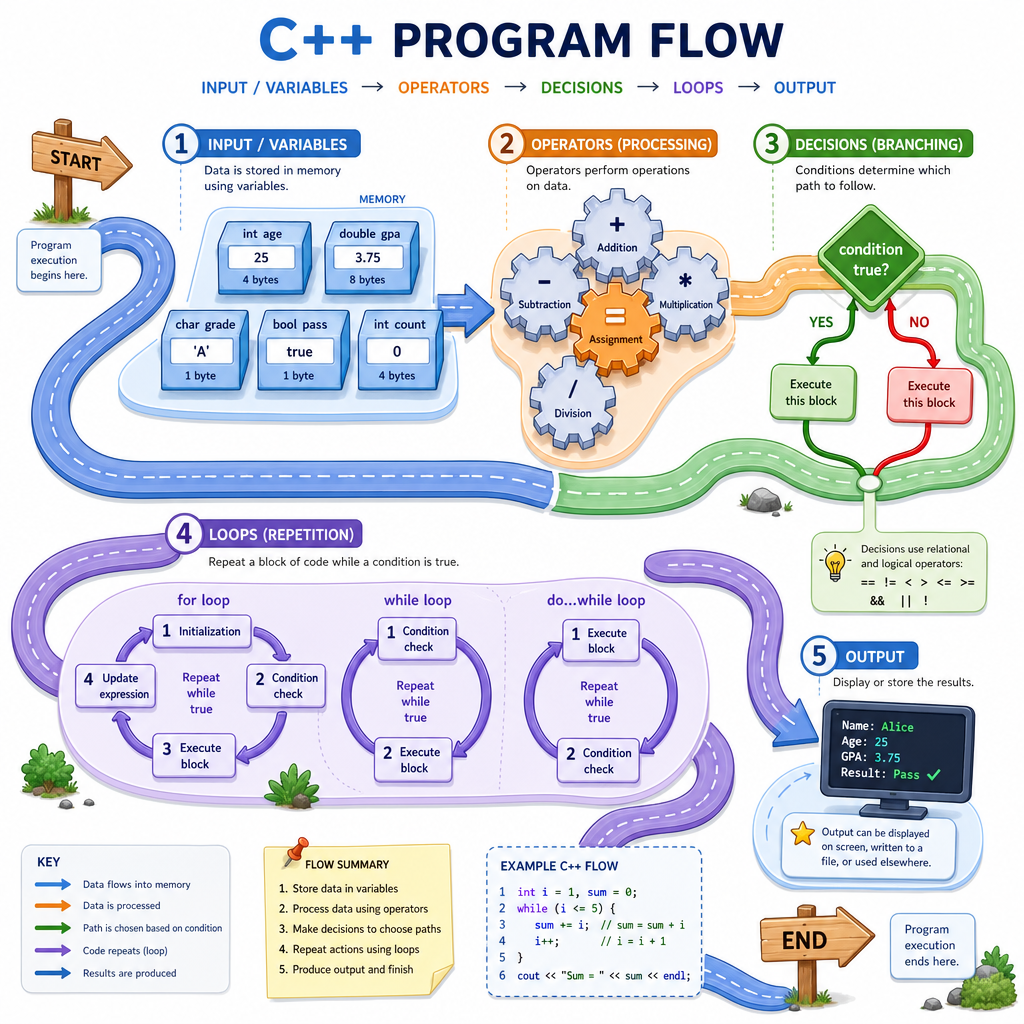
Operators In Motion
Arithmetic operators
C++ arithmetic operators should feel familiar if you’ve written JavaScript or other web code:
Operator Meaning+
addition
-
subtraction
*
multiplication
/
division
%
remainder/modulo
Two important C++ details:
- Types affect results. Integer division drops the decimal part.
- Modulo works with integers. It is useful for even/odd checks, cycles, and bucket logic.
Comparison operators create bool values: true or false.
==
equal to
!=
not equal to
<, <=
less than, less than or equal
>, >=
greater than, greater than or equal
```cpp
#include <iostream>
using namespace std;

int main() {
    int shares = 7;
    double price = 12.50;
    double cash = 100.00;

    double totalCost = shares * price;
    bool canBuy = cash >= totalCost;

    cout << "Total cost: $" << totalCost << endl;
    cout << "Can buy? " << canBuy << endl;

    cout << "Integer division 7 / 2 = " << (7 / 2) << endl;
    cout << "Floating division 7.0 / 2 = " << (7.0 / 2) << endl;
    cout << "7 % 2 = " << (7 % 2) << endl;

    return 0;
}
```
Which Expression Wins?
Given this expression:
10 + 3 * 2 > 15
What is the final boolean result?
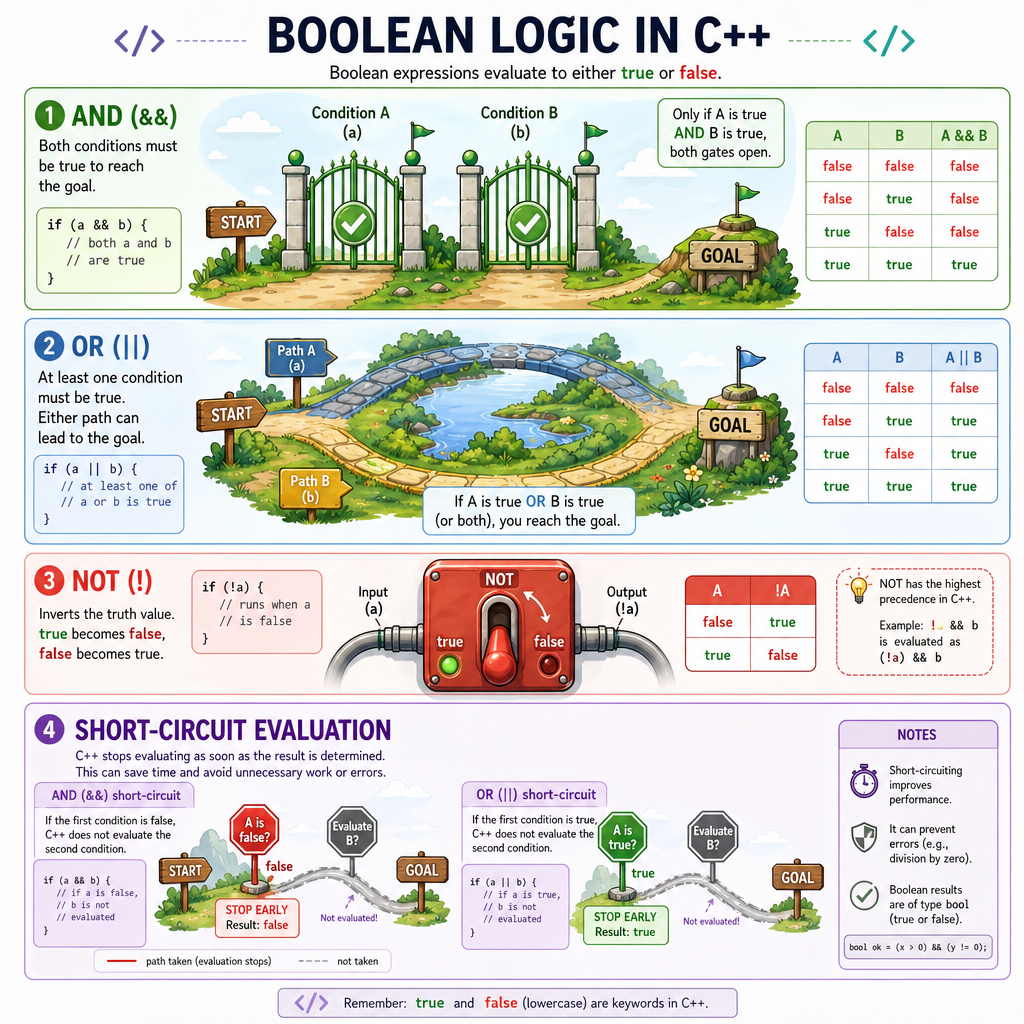
Boolean Building Blocks
Combining conditions
Real decisions usually need more than one comparison.
C++ gives us logical operators:
Operator Meaning Example&&
and
cash >= cost && risk < 5
`
`
!
not
!isLoggedIn
A condition inside if, while, or for must behave like a boolean decision.
Short-circuit behavior
C++ uses short-circuit evaluation:
- In
A && B, ifAis false, C++ does not need to evaluateB. - In
A || B, ifAis true, C++ does not need to evaluateB.
This is useful when the second check depends on the first being safe, such as checking an index before accessing an array later in the course.
Branching Choices
if, else if, and else
Use if when your program needs to choose between paths.
A common shape is:
-
if: first condition -
else if: additional condition -
else: fallback when nothing above matched
switch
Use switch when one value is compared against several exact cases, such as a menu option, status code, or letter grade.
switch is not a replacement for every if. It shines when the cases are discrete values.
```cpp
#include <iostream>
using namespace std;

int main() {
    double portfolioChange = -2.7;

    if (portfolioChange > 1.0) {
        cout << "Strong day" << endl;
    } else if (portfolioChange >= -1.0) {
        cout << "Mostly flat day" << endl;
    } else {
        cout << "Risk review needed" << endl;
    }

    char rating = 'B';

    switch (rating) {
        case 'A':
            cout << "Low risk" << endl;
            break;
        case 'B':
            cout << "Medium risk" << endl;
            break;
        case 'C':
            cout << "High risk" << endl;
            break;
        default:
            cout << "Unknown rating" << endl;
    }

    return 0;
}
```
Switch Case Truth
True or false:
A C++ switch statement can directly use range-style cases like case score > 90:.
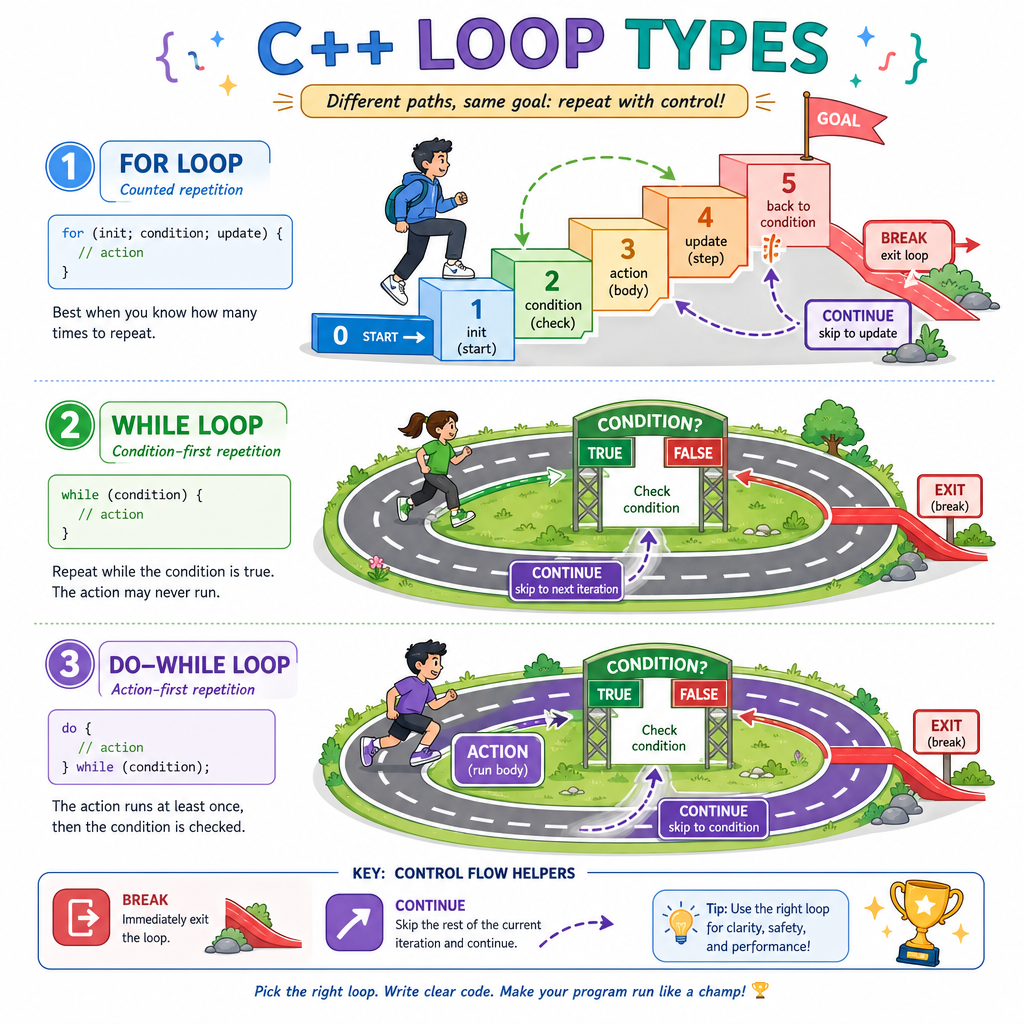
Loop Mental Models
Repeating work
Loops run a block of code multiple times.
C++ has three core loop shapes:
for
Use when you know the counting structure.
Example mental model: “Run this for days 1 through 30.”
while
Use when repetition depends on a condition that may change unpredictably.
Example mental model: “Keep processing while the queue is not empty.”
do while
Use when the body must run at least once.
Example mental model: “Show a menu once, then repeat if the user asks again.”
Two useful loop controls:
-
breakexits the loop early. -
continueskips to the next iteration.
Complete The Condition
A trading system should keep looping while openOrders is not zero:
while (openOrders ___ 0)
Fill in the missing comparison operator.
Fill in the blank: _____________
Looping In Practice
Three loops, three jobs
The best loop is the one that matches your intent:
- Use
forfor a known number of iterations. - Use
whilefor condition-driven repetition. - Use
do whilewhen the action should happen before the condition is checked.
Notice how each loop has a way to move toward stopping. Infinite loops usually happen when the stop condition never becomes false.
```cpp
#include <iostream>
using namespace std;

int main() {
    cout << "For loop: weekly deposits" << endl;
    int balance = 0;
    for (int week = 1; week <= 4; week++) {
        balance += 25;
        cout << "Week " << week << ": $" << balance << endl;
    }

    cout << "\nWhile loop: reduce backlog" << endl;
    int tasks = 5;
    while (tasks > 0) {
        cout << "Tasks left: " << tasks << endl;
        tasks--;
    }

    cout << "\nDo-while loop: run at least once" << endl;
    int attempts = 0;
    do {
        attempts++;
        cout << "Attempt " << attempts << endl;
    } while (attempts < 1);

    return 0;
}
```
Pick The Loop
You are writing code that keeps asking for new market data until a valid price arrives. You do not know how many attempts it will take.
Which loop shape best matches this situation?