Recursive Algorithms and Backtracking
Read at your own pace. Code execution, quizzes, progress tracking, and the AI tutor are available in the interactive view with JavaScript enabled.
Why Recursion Now
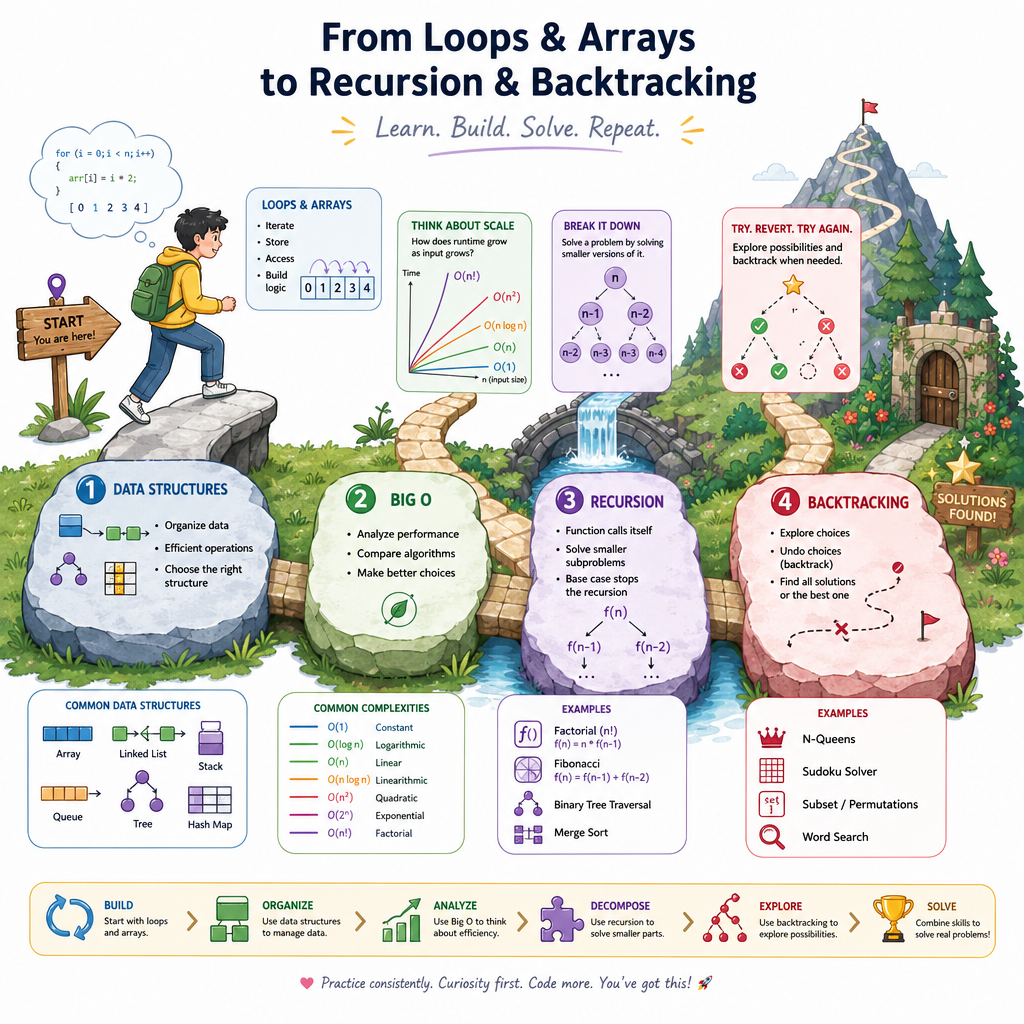
From loops to self-calling functions
Now that you have finished Introduction to Data Structures and Algorithm Basics and Complexity Analysis, you can already ask two important questions:
- What shape does the data have?
- How does the work grow as input grows?
Recursion adds a new tool: instead of writing a loop directly, we write a function that solves a smaller version of the same problem.
Backtracking builds on recursion. It explores choices, abandons bad paths, and tries alternatives. This is a core pattern for many easy and medium interview problems involving subsets, combinations, permutations, and constraint solving.
By the end of this lesson, you should be able to read a recursive function without panic, identify its base case, and trace a simple backtracking template.
Recursive Function Anatomy
The three parts
A recursive function usually has three essential pieces:
- Base case: the simplest input that can be answered immediately.
- Recursive case: calls the same function on a smaller or simpler input.
- Progress: each call must move closer to the base case.
Think of recursion as asking:
Can I solve this problem by solving a smaller version first?
Example idea:
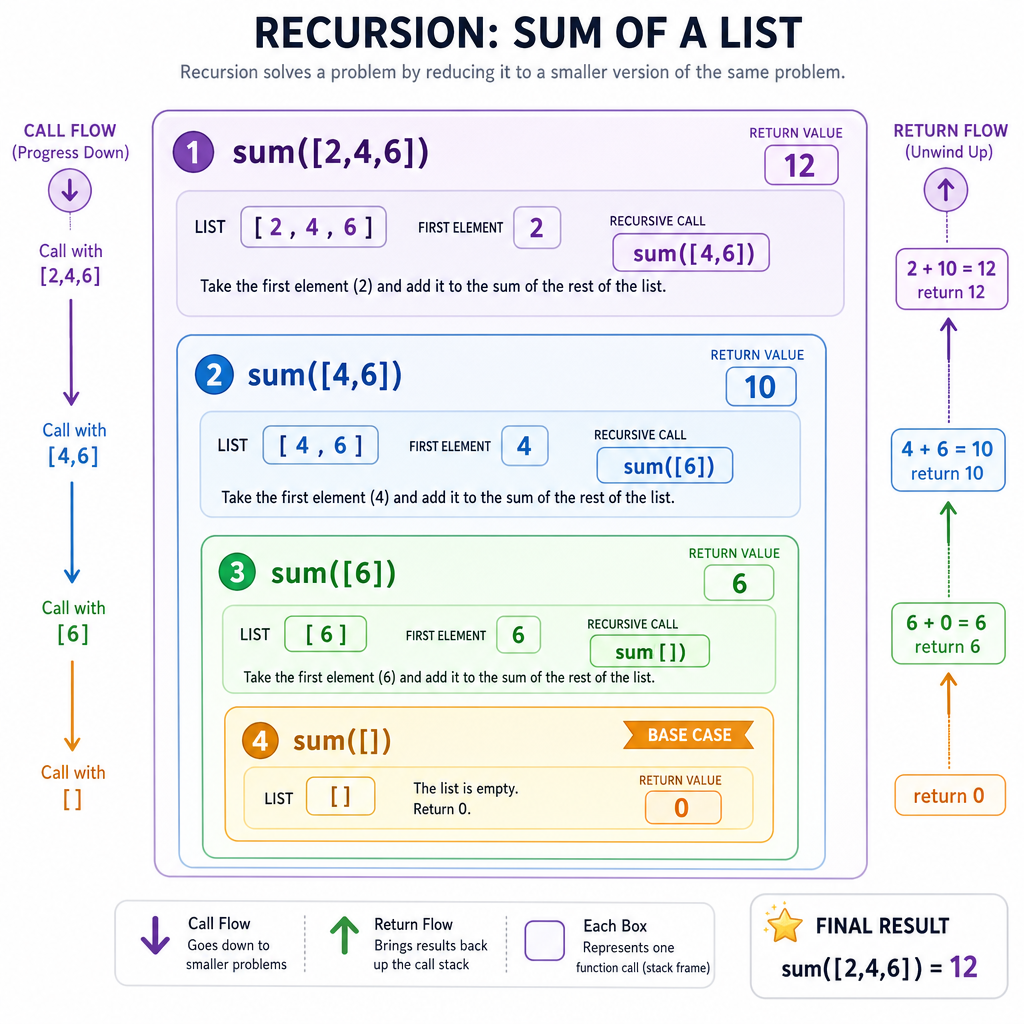
sum([2, 4, 6])
= 2 + sum([4, 6])
= 2 + 4 + sum([6])
= 2 + 4 + 6 + sum([])
= 12
The empty list is the base case. Each recursive call removes one item, so progress is clear.
First Recursive Trace
Trace before optimizing
For beginners, the most useful recursion habit is tracing the calls.
Do not try to hold the whole process in your head at once. Instead, ask:
- What input does this call receive?
- Is it the base case?
- If not, what smaller input does it pass forward?
- What value comes back?
Here is a small standalone example that sums a list recursively.
```python
def recursive_sum(nums):
    if not nums:  # base case: empty list
        return 0

    first = nums[0]
    rest = nums[1:]
    return first + recursive_sum(rest)

print(recursive_sum([2, 4, 6]))
print(recursive_sum([]))
```
Base Case Check
A recursive function keeps calling itself, but the input does not become smaller or simpler. What is the most likely problem?
Call Stack Model
Recursion uses memory
In Algorithm Basics and Complexity Analysis, you learned to count both time and extra space.
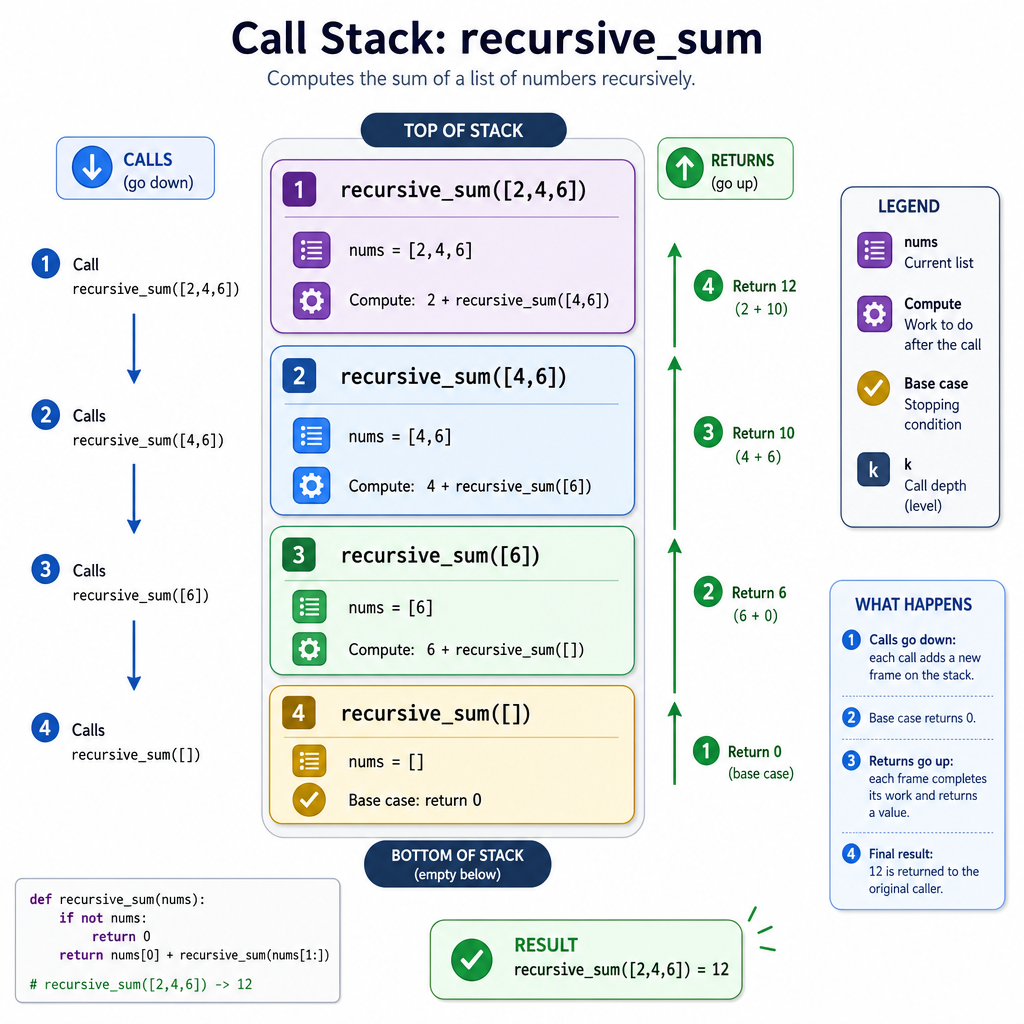
Recursive calls use the call stack. Each unfinished function call waits for the smaller call to return.
For example:
recursive_sum([2, 4, 6]) waits for
  recursive_sum([4, 6]) waits for
    recursive_sum([6]) waits for
      recursive_sum([]) returns 0
Then results return upward.
If there are n calls active at the deepest point, the recursion stack uses O(n) extra space.
This is why recursive code can be elegant, but not free.
Backtracking Template
Choose, explore, undo
Backtracking is recursion for exploring choices.
The core pattern is:
- Choose something.
- Explore recursively.
- Undo the choice.
That undo step is what makes it backtracking.
A common beginner-friendly problem is generating all subsets of a list. For each number, we decide whether to include it as we build possible answers.
The path changes over time, but we carefully undo each choice so other paths can reuse the same list safely.
```python
def subsets(nums):
    result = []
    path = []

    def backtrack(index):
        if index == len(nums):
            result.append(path.copy())
            return

        # Choice 1: skip nums[index]
        backtrack(index + 1)

        # Choice 2: include nums[index]
        path.append(nums[index])
        backtrack(index + 1)

        # Undo the include choice
        path.pop()

    backtrack(0)
    return result

print(subsets([1, 2, 3]))
```
Pruning Bad Paths
Do not explore what cannot work
Backtracking becomes much more useful when we can stop early.
This is called pruning: abandoning a path once we know it cannot lead to a valid answer.
Example: find combinations that sum to a target. If the current sum already exceeds the target, there is no reason to keep adding positive numbers.
This does not change the basic template:
choose
explore
undo
It simply adds a guardrail before exploring too far.
```python
def combination_sum(candidates, target):
    result = []
    path = []

    def backtrack(start, current_sum):
        if current_sum == target:
            result.append(path.copy())
            return

        if current_sum > target:  # prune bad path
            return

        for i in range(start, len(candidates)):
            value = candidates[i]
            path.append(value)
            backtrack(i, current_sum + value)  # allow reuse of same value
            path.pop()

    backtrack(0, 0)
    return result

print(combination_sum([2, 3, 6, 7], 7))
```
Recursive Progress
True or false: In a well-designed recursive function, every recursive path should eventually move toward a base case.
Undo The Choice
In the backtracking pattern, the step where we reverse a choice before trying another path is called ____.
Crash Course Practice
Your recursion checklist
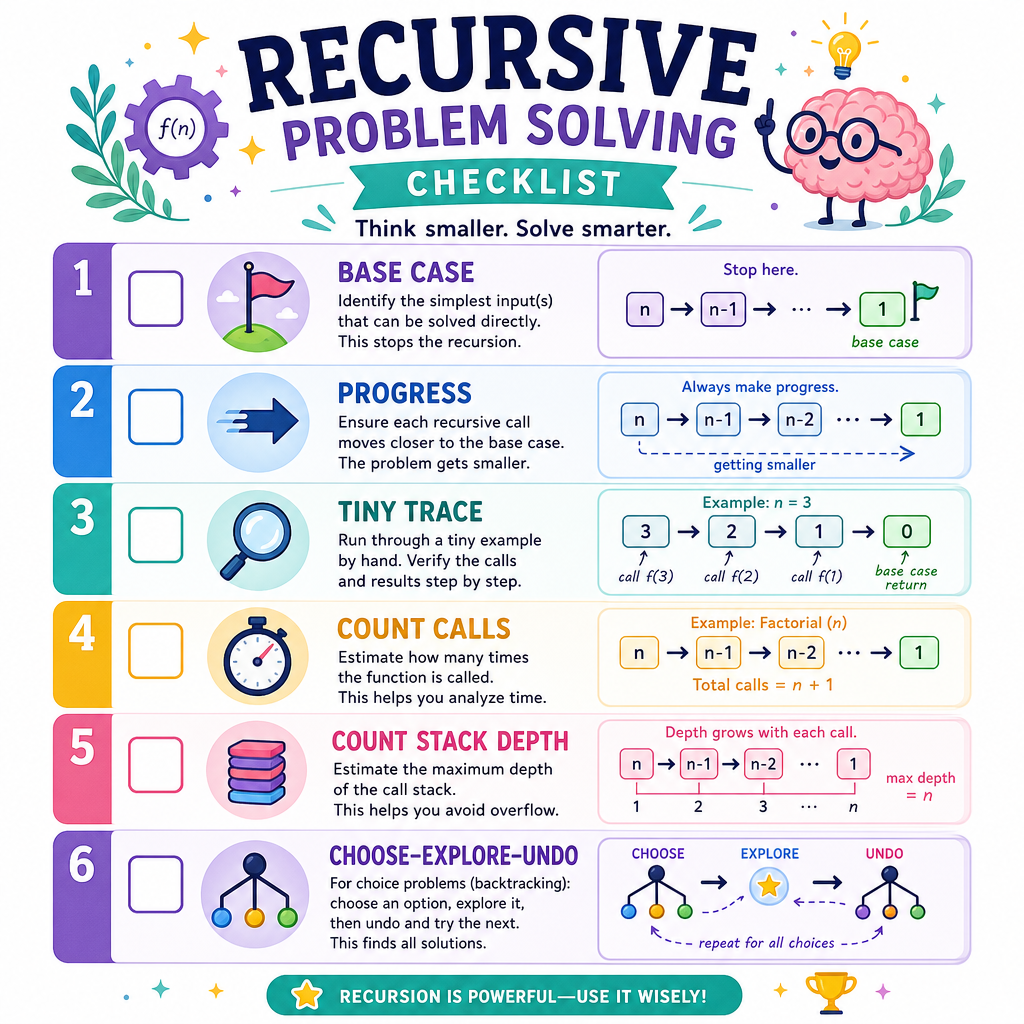
For each recursive or backtracking problem, practice this routine:
- Name the smallest input: the base case.
- Identify how each call gets smaller or more complete.
- Trace one tiny example by hand.
- Count the number of calls for time complexity.
- Count maximum call depth for extra space.
- For backtracking, mark the choose, explore, and undo steps.
For your 30-day crash course habit, revisit today’s subset problem in about 2 days. Try to write it from memory, then explain why it produces 2^n subsets.
Next, we will move into Intermediate Data Structures: Trees and Graphs, where recursive thinking will help you understand hierarchical and connected data without re-learning the basics from scratch.