Working With the Database
Read at your own pace. Code execution, quizzes, progress tracking, and the AI tutor are available in the interactive view with JavaScript enabled.
Getting Data from the Database
Getting Data from the Database
So far, we have seen how to send static text and a semi-dynamic one but we need to do more.
In this section, we'll get data from our database to show to the user instead. Let's head over to the home view function and make some changes;
# ./crud_app/views.py
...
def home(request):
    posts = CRUDPost.objects.all()
    return render(request, "crud_app/home.html", {"posts":posts})
...
Here, we have retrieved all posts from our database using CRUDPost.objects.all(), stored them in a variable then sent that variable to our template as a dict, then in our template, we iterate through the posts, and list our the items with a for loop tag:
{% for post in posts %}
...
{% endfor %}
Next, we'll add a way to navigate to the post details screen when the title is clicked. Django provides a way to call a URL from within the template, we do this using the url tag, calling the name of the URL path, and any additional arguments like so
<a href="{% url 'get_post' post.id %}">{{ post.post_title }}</a>
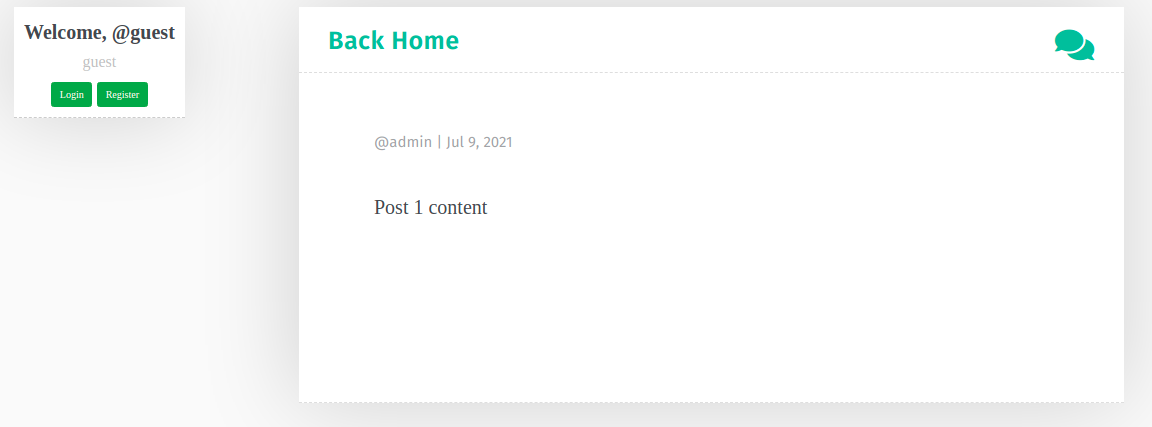
Now, to show the post details, we'll need to modify the get_post view function and create a template for it:
# ./crud_app/views.py
...
def get_post(request, post_id):
    post = obj = get_object_or_404(CRUDPost, id=post_id)
    return render(request, "crud_app/post_detail.html", {"post":post})
...
Here we have used one of Django's shortcut functions (get_object_or_404) which will try to get the post with the given id or raise a 404_NOT_FOUND error if it cannot find it.
Now for the template, create a new file in the template directory, call it post_detail.html and add the following contents:
<!-- ./crud_app/templates/crud_app/post_detail.html -->
{% extends 'base.html' %}
{% load static %}
{% block title %} {{ post.title }}  {% endblock title %}
{% block content %}

<div class="col-lg-12 blog-post">

  <article class="post" style="padding-top:1em; border-bottom: none;">
    <div class="inner">
      <header class="post-header">
        <h1 class="post-title">{{ post.post_title }}</h1>
        <span class="post-meta">
          @{{post.post_author}} | {{ post.date_created | date:"M j, Y"}}
        </span>
        <div class="clear"></div>
      </header>

      <section class="post-content">
        <p>{{ post.post_content }}</p>
      </section>
    </div>
  </article>
</div>
{% endblock  %}
Now whenever we click on the title of a post on the home page, we will be brought to the details page for that post.
CONTINUE WITH ALGODAILY PREMIUM
Keep going with the complete tutorial.
Unlock the remaining explanations and exercises, alongside the full learning library.
Explore Premium →